
 Photoshop
 Maya
Maya ZBrush
 Houdini
 Unreal Engine
 Substance Painter
 Blender
 Nuke
Nuke Arnold
 KeyShot
 V-Ray
V-Ray Mari
Mari Marvelous Designer
 Marmoset Toolbag
 Substance Designer
 3ds Max
 3DCoat
 Redshift
 After Effects
 Faceform Wrap
 Lightroom
 OctaneRender
 SpeedTree
 Daz 3D
 Agisoft Metashape
 Fusion
 Modo
Modo RealityCapture
 Gaea
Gaea Cinema 4D
 Gravity Sketch
 Premiere
 Procreate
 Substance 3D Modeler
 Katana
 Mudbox
 Krita
Krita World Creator
 Yeti
Yeti Ziva VFX
 SketchBook
 Quixel DDO
 Mixamo
 Natron
 Quixel Bridge
 Quixel Megascans
 Adobe Medium
 Quixel Mixer
 SynthEyes
 Clip Studio Paint
 SketchUp
 Unity
Unity Gaffer
 Massive
 Materialize
 Ornatrix
 PreForm
 Corel Painter
 Moi 3D
 QuickTime
 Storyboard Pro
 TreeIt
 animBot
 ReCap
ReCap Meshmixer
 DaVinci Resolve
 World Machine
 xNormal
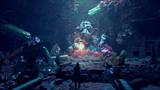


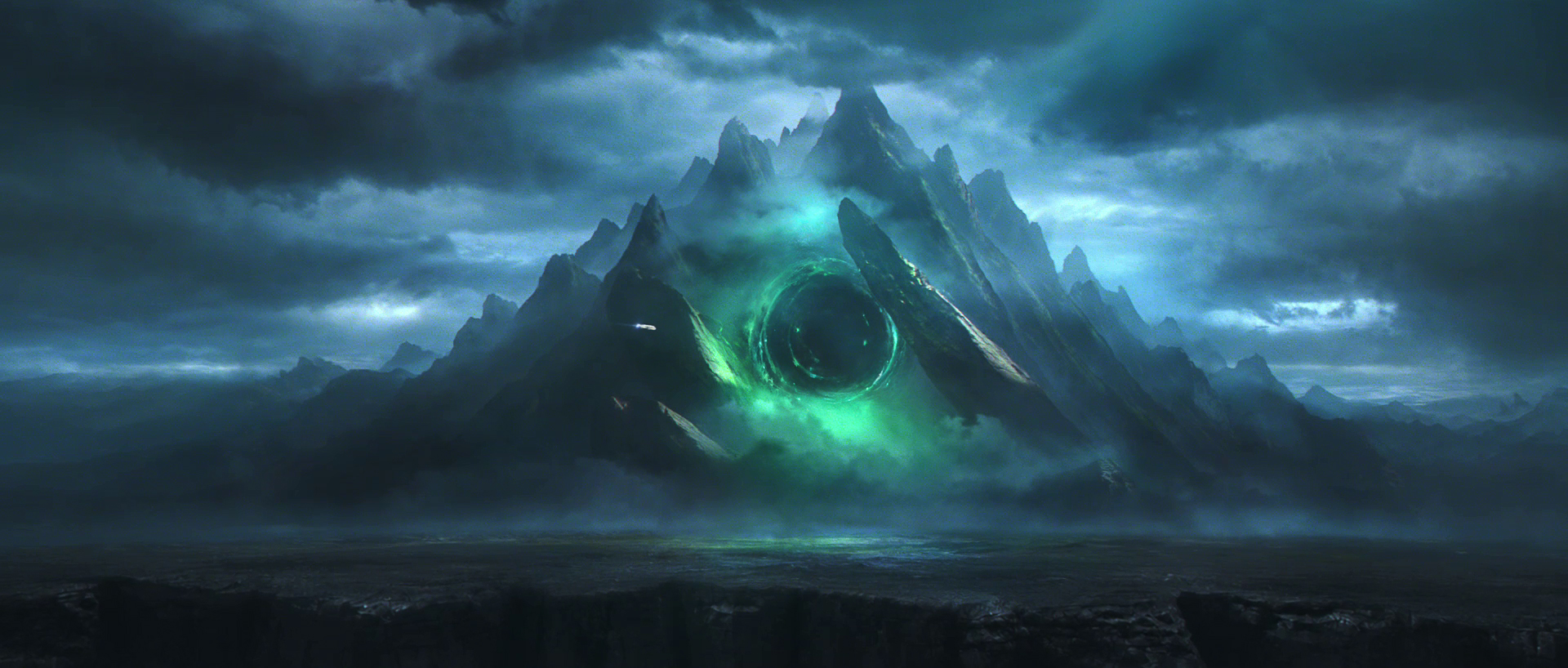


He demonstrates efficient environment-building techniques, including procedural terrain creation, and showcases how to integrate 3D scans, photographic texturing, HDRI lighting, volumetric fog, and clouds to quickly develop a believable cinematic scene. Along the way, he also shares how to organize the scene, prepare render passes, and build a solid foundation that supports both matte painting and camera projection.
Once the 3D environment is complete, Kevin moves into Photoshop to transform the render into a polished matte painting. Using photobashing techniques, digital painting, adding atmospheric effects, and color grading, he shows how to enhance textures, replace the sky, refine the lighting, and strengthen the focal point while maintaining a flexible workflow that allows for fast iteration and creative freedom.
The final stage takes place in Nuke, where Kevin composites the different render passes and brings the scene to life. He shows how to animate the portal, clouds, fog, sky, and spaceship, then completes the shot using color grading, glow, lens effects, and subtle post-processing to produce a cinematic animated sequence.
This workshop is designed for intermediate artists with a basic understanding of Blender, Photoshop, and Nuke; it focuses on both technical execution and artistic decision-making. By completing this workshop, artists will understand how to combine 3D, matte painting, and compositing techniques into a complete hybrid workflow and confidently create their own cinematic environments from concept to final animated shot.
7 Lessons
Matte Painter Kevin Decatoire introduces how to build a strong visual foundation by analyzing reference images and identifying key elements such as silhouettes, composition, lighting, atmosphere, texture, and color. Using these observations, artists will learn how to quickly develop a concept in Photoshop through digital painting and photobashing, establishing the visual direction before moving into the 3D production stage.
Duration: 12m 24s

In this second lesson, Kevin demonstrates how to build the environment's initial 3D foundation in Blender by creating a simple terrain blockout and establishing the overall composition. Artists will learn how to position the camera to match the concept art, organize the scene, refine the layout, and create a subtle camera move, preparing a flexible base for lighting, texturing, and the later matte-painting stages.
Duration: 14m 7s

In this lesson, Kevin discusses how to develop the environment's look by establishing realistic lighting, atmosphere, and surface detail in Blender. Artists will explore HDRI lighting, volumetric fog, and shadow shaping to strengthen the composition, then discover how to enhance the scene with photographic textures and shaders, ultimately creating a believable foundation ready for matte painting and final compositing workflows.
Duration: 27m 9s

Here, Kevin discusses refining the environment by integrating 3D scans, enhancing terrain textures, and adding key visual elements to the scene. He shows how to create volumetric clouds, introduce the portal and its lighting, carve the mountain opening, place the spaceship, and further strengthen the overall composition while preparing the environment for the final matte-painting stage.
Duration: 35m 45s

In this fifth lesson, Kevin generates the render layers required for matte painting and prepares the scene for camera projection. He demonstrates how to organize render layers, create ID masks for efficient selections in Photoshop, export the 3D scene and camera, then validate the projection in Nuke to ensure everything aligns correctly before beginning the final matte painting.
Duration: 5m 3s

In this penultimate lesson, Kevin shows how to transform the render into a polished cinematic matte painting using photobashing, digital painting, color correction, and photographic textures. He teaches how to replace the sky, enhance rock surfaces, paint atmosphere and clouds, refine the portal, strengthen lighting and composition, and bring the environment to a professional, production-ready final image suitable for cinematic portfolio projects.
Duration: 29m 1s

In this final lesson, Kevin concludes the workshop by completing the project in Nuke, compositing the render layers and bringing the scene to life through subtle animation. He demonstrates how to animate the portal, clouds, fog, and sky, then enhance the shot with color grading, glow, lens distortion, chromatic aberration, contrast correction, and finishing effects to improve depth, atmosphere, readability, and overall visual quality.
Duration: 14m 22s

Primary tools
For this workshop you’ll need:
Project Files
When you download the project files accompanying this workshop, you'll get access to assets provided by Kevin to help with following along with the lessons. Inside, you'll find:
- Resources folder — includes reference images, HDR image maps, 3D textures, and the Blender Overscan add-on used throughout the workshop.
- Matte Painting PSD file — contains the complete layered matte painting used throughout the workshop.
- Blender Scene file — contains the complete 3D environment used throughout the workshop, including the camera setup, lighting, and scene organization.
- Nuke Script file — contains the final compositing setup, including the animated elements and the final rendered video from the workshop.
Skills Covered
Who’s this Workshop for?
This workshop is for intermediate artists with a basic understanding of Photoshop, Blender, and Nuke who want to take their matte painting skills to a professional, production-ready level. This training is ideal for aspiring Digital Matte Painters, Environment Artists, and Concept Artists looking to build stronger portfolio pieces for the VFX and film industries.
Throughout this workshop, artists will learn an industry-inspired workflow, from concept development and 3D scene creation to photorealistic matte painting and camera projection. Artists will also develop a stronger eye for composition and lighting, and learn to create cinematic shots that stand out professionally.
Learning Outcomes
By completing this workshop, artists will have mastered Blender, Photoshop, and Nuke to create a cinematic environment by combining 3D, matte painting, and compositing techniques
Key skills include:
- Developing original environment concepts from reference images using composition, mood, and visual storytelling.
- Building efficient 3D blockouts in Blender to establish perspective, scale, and lighting foundations.
- Creating high-quality photorealistic matte paintings using professional Photoshop techniques efficiently.
- Preparing layered assets for seamless camera-projection workflows and cinematic shots inside Nuke.
- Combining 3D renders, paintovers, and projections into a cohesive production-ready environment pipeline.
- Applying professional matte-painting workflows and the artistic decision-making used in modern VFX productions to a variety of projects.


